

Make an Appointment
How can we help you? Writing center consultants can work with you at any stage of the writing process. We recognize that writing is a situated practice that looks different from one subject or discipline to another, and that understanding is at the core of our approach.
Undergraduate Students: We can help you identify project goals while considering the audience(s) and conventions in your area of study. You don’t have to be struggling to visit. In fact, we can simply be a sounding board or first reader for your ideas. We will also help if you have specific questions or would like suggestions about the structure, clarity, and flow of a draft or about your (or your professor’s) sentence-level concerns around grammar and punctuation. The final decisions will be yours.
Graduate Students: We meet with graduate students working on seminar papers, theses, dissertations, and other long-form projects such as articles for publication. Ideally, these dialogues become a collaboration that includes input from advisors so that consideration is given to form and content as the project develops. We also frequently work with bilingual and multilingual students at the graduate level, addressing the particular challenges of producing a long manuscript in academic English. We are happy to help with the text and strategic approaches to producing your best written work.
Step-by-Step Scheduling
The writing center's online scheduling system allows students to make appointments from their computer, tablet, or smartphone. Our appointment slots are 45 minutes. Students are allowed to make one appointment per day and up to two appointments per week. You can schedule your appointment up to 7 days in advance.
Log in to fsu.mywconline.com.
Select a schedule: 1. Writing Center. We offer in-person and Zoom appointments on all schedules.
Find an appointment using the calendar view or smart cards (see below). You can set your preference under system settings.
Calendar View
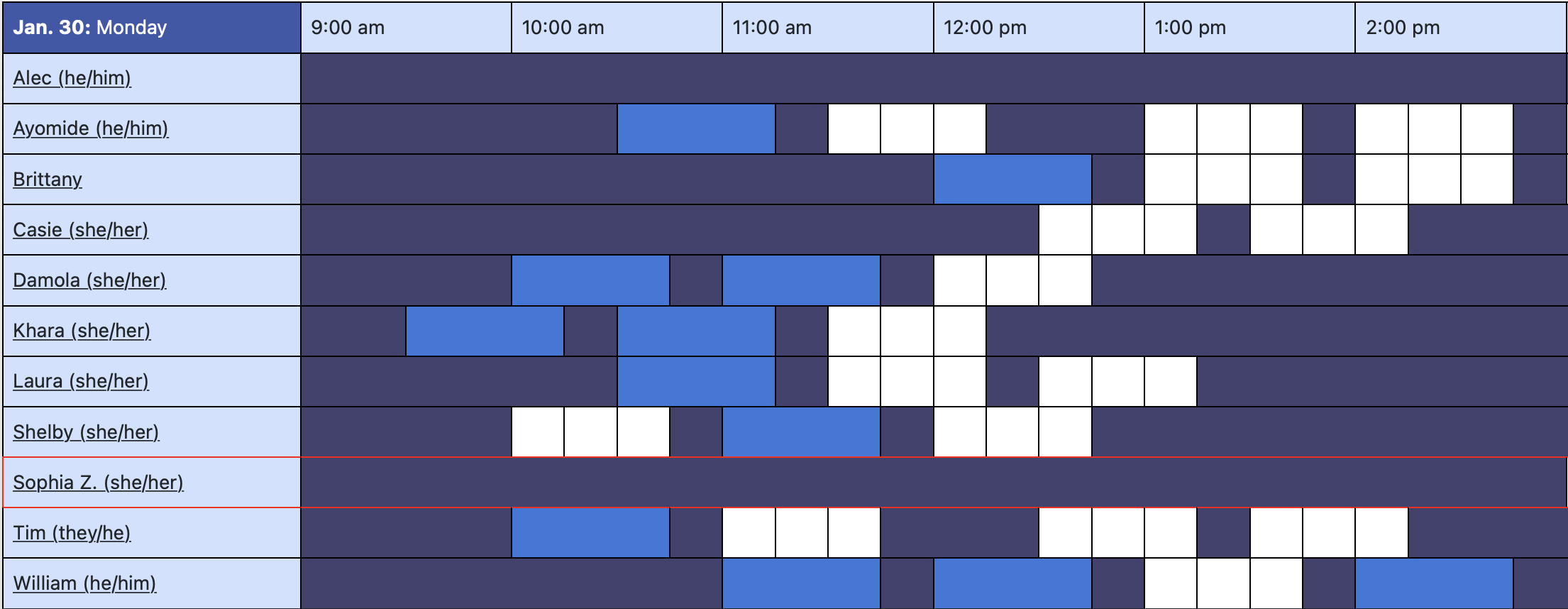
In calendar view, white boxes indicate open time slots. When you find a time that works for you, click on the white box and enter your information. Save the appointment.
Smart Cards
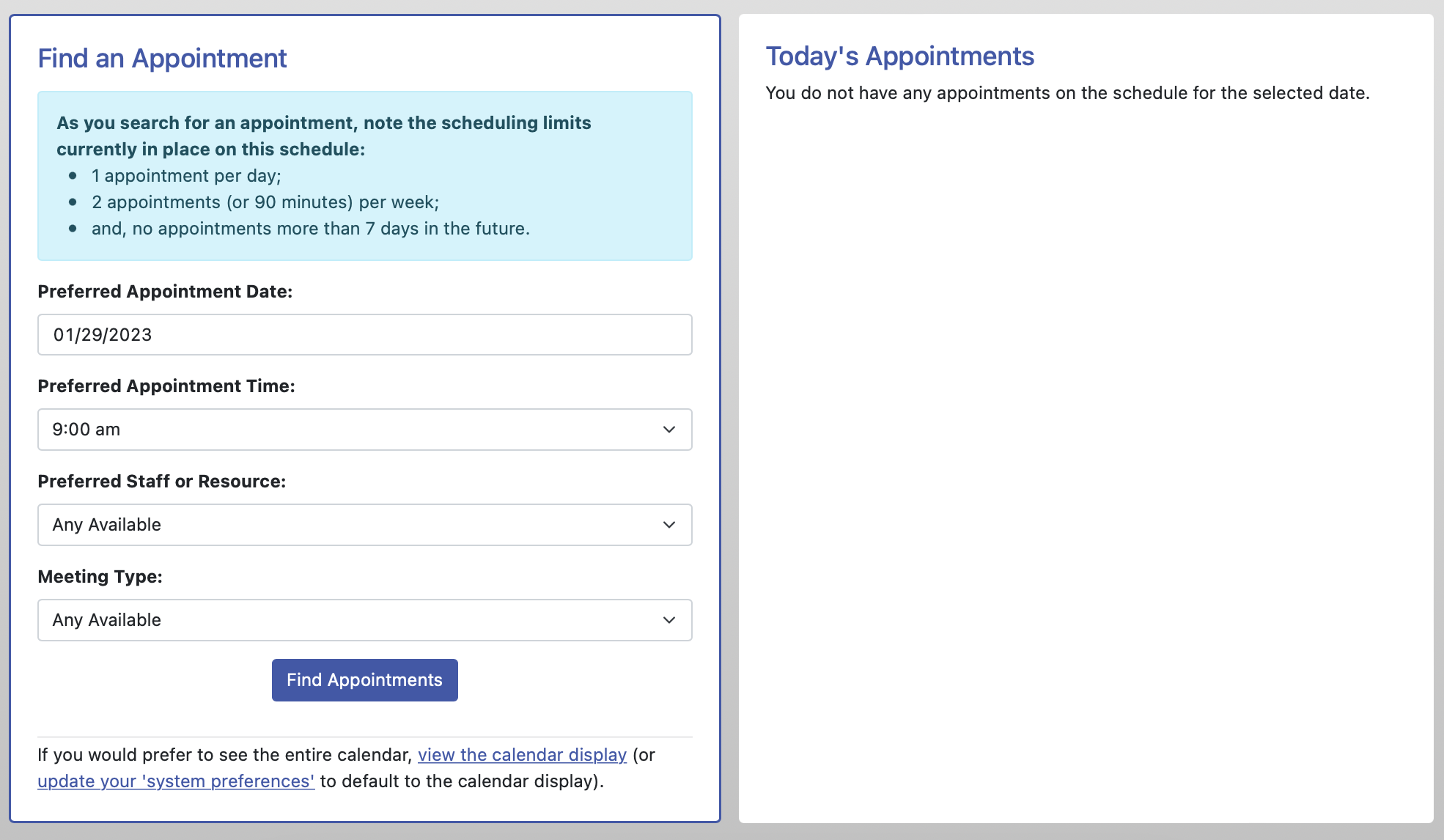
With smart cards, select your preferred day, time, meeting type, and/or staff member. WCOnline will present you with appointment cards that are closest to your preferences. Select one that works for you or restart your search for other options.
Finding a specific writing consultant
Use the Display Options to select a specific staff member on a schedule. This option is useful if you would like to meet with the same person as you revise.

You will receive an email confirmation after your appointment has been made. You can log back into the system at any time to change or cancel your appointment. We hope to see you soon!