
Make an Appointment
How can we help you? Digital studio consultants can offer feedback for digital projects that include layout designs, videos, and websites. We recommend these sharing options for drafts: PDFs, YouTube/Vimeo links, website links.
If you would like to reserve a computer (Mac or PC), visit fsu.mywconline.com. Our appointment slots are 45 minutes. The appointment allowance is 90 minutes per week, with a maximum of 45 minutes on any given day.
Step-by-Step Scheduling
The writing center's online scheduling system allows students to make appointments from their computer, tablet, or smartphone. Our appointment slots are 45 minutes. Students are allowed to make one appointment per day and up to two appointments per week. You can schedule your appointment up to 7 days in advance.
Log in to fsu.mywconline.com.
Select a schedule: 2. Writing & Digital Studio - Johnston. We offer in-person and Zoom appointments on all schedules.
Find an appointment using the calendar view or smart cards (see below). You can set your preference under system settings.
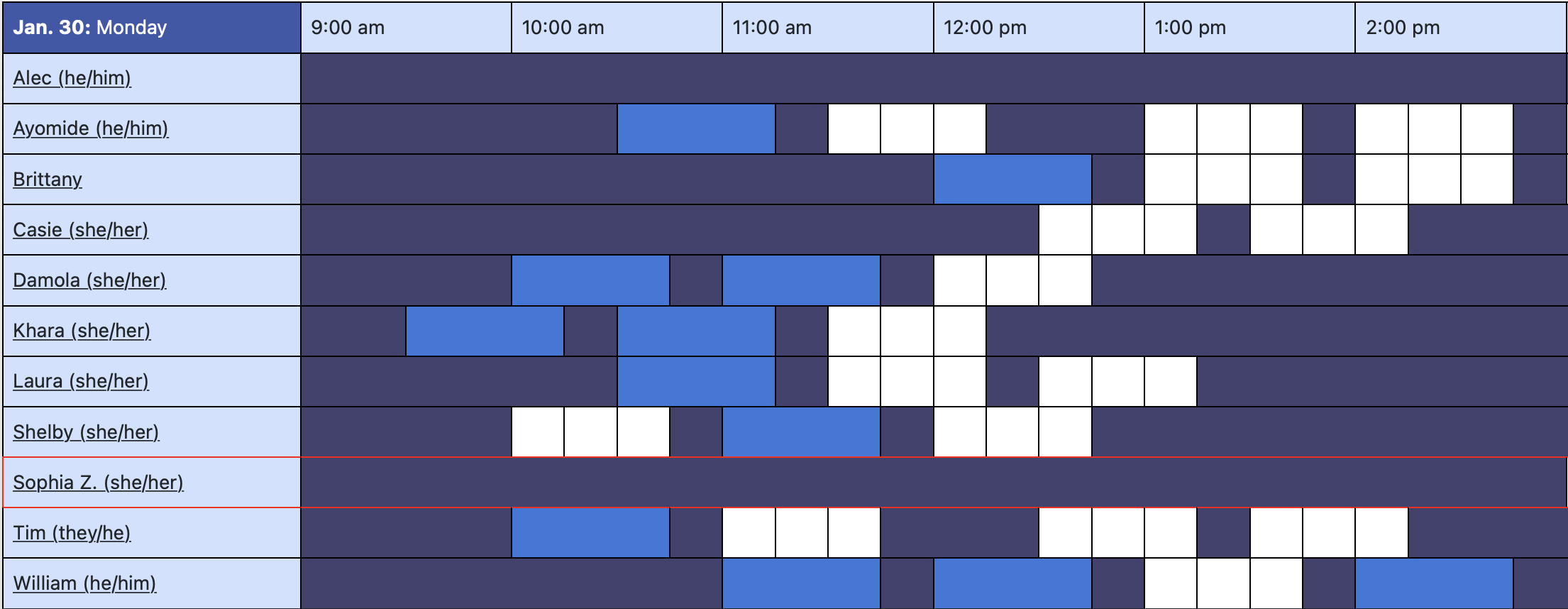
Calendar View
In calendar view, white boxes indicate open time slots. When you find a time that works for you, click on the white box and enter your information. Save the appointment.
Smart Cards
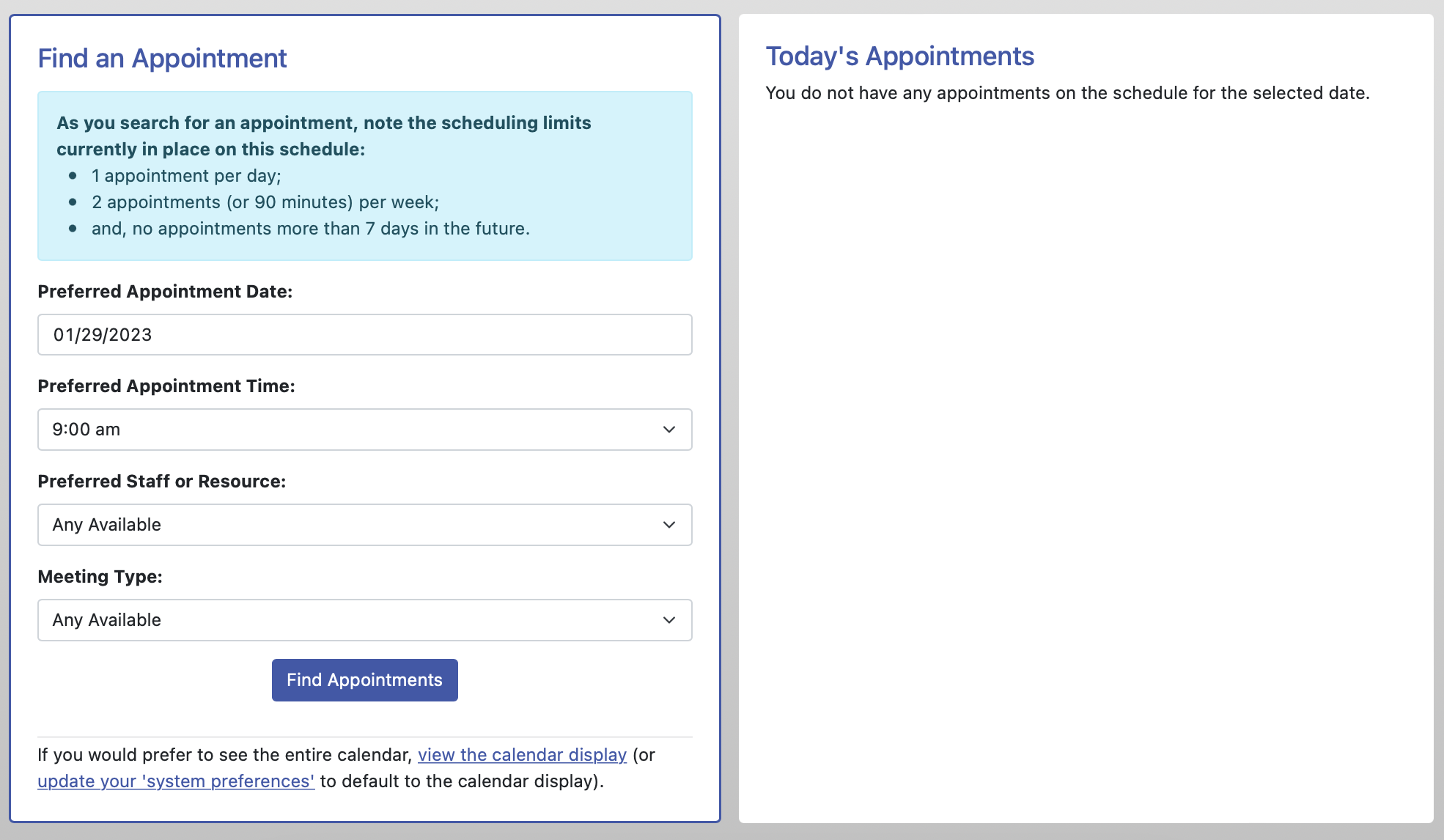
With smart cards, select your preferred day, time, meeting type, and/or staff member. WCOnline will present you with appointment cards that are closest to your preferences. Select one that works for you or restart your search for other options.
Finding a specific writing consultant
Use the Display Options to select a specific staff member on a schedule. This option is useful if you would like to meet with the same person as you revise.

You will receive an email confirmation after your appointment has been made. You can log back into the system at any time to change or cancel your appointment. We hope to see you soon!